> ## Documentation Index
> Fetch the complete documentation index at: https://docs.sidecardata.com/llms.txt
> Use this file to discover all available pages before exploring further.
# Builder
> Use Builder to research, implement, and validate engineering changes
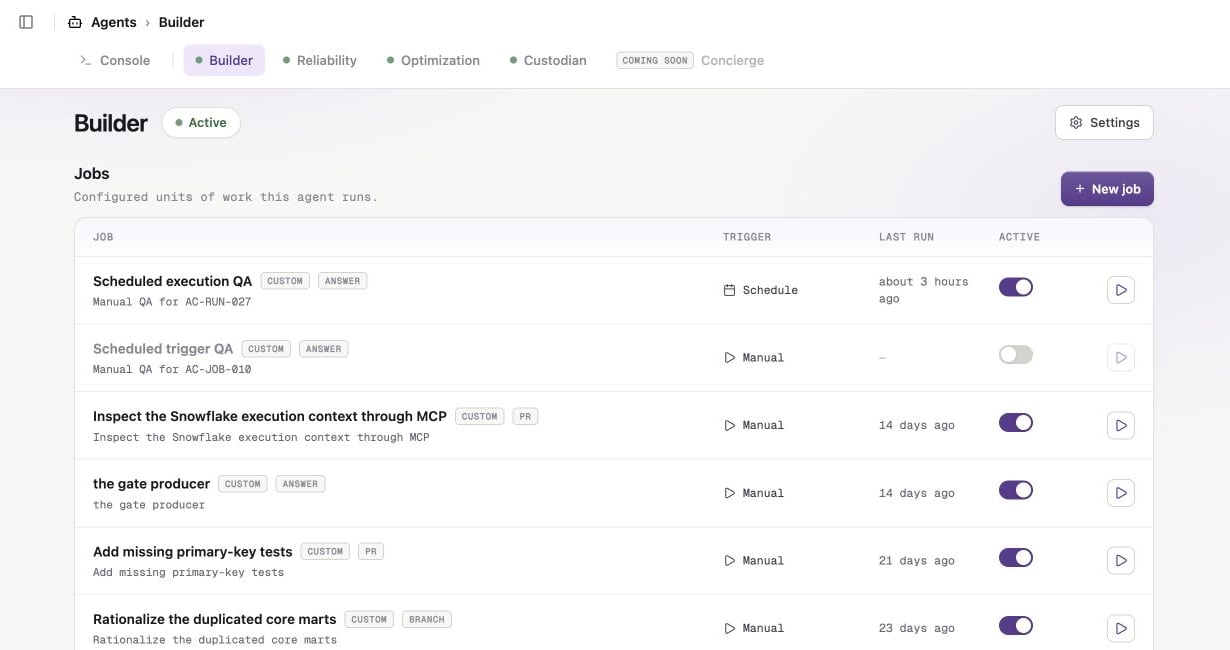
Builder turns a scoped engineering request into a reviewable repository change. It can research a codebase, edit files, run validation, and deliver a pull request or branch.
## Use Builder for
* Adding or updating dbt models, tests, sources, macros, and documentation
* Refactoring a focused area of a data repository
* Fixing a well-defined defect
* Investigating a repository and returning a text response
Builder works best when your instructions name the target, define the outcome, and state what is out of scope.
## Requirements
Builder requires repository access. Connect GitHub or GitLab, then select a repository when you [create the job](/products/agent-console/jobs/create-a-job).
A warehouse MCP server is optional. Add one when Builder needs to inspect live warehouse evidence.
## Jobs and delivery
Builder has no presets. Create a custom job and choose one of these outputs:
* **Open a pull request**
* **Push to a branch**
* **Text response in Agent Console**
Builder creates `sidecar/` branches and never merges its work.
Follow [Create your first Agent Console job](/products/agent-console/quickstart) for a complete example.