> ## Documentation Index
> Fetch the complete documentation index at: https://docs.sidecardata.com/llms.txt
> Use this file to discover all available pages before exploring further.
# Optimization
> Use Optimization to review warehouse cost, query performance, and dbt project health
Optimization uses available evidence to find cost, performance, and dbt project-health opportunities. It separates direct evidence from inference and does not mutate warehouse data or configuration.
## Use Optimization for
* Reviewing expensive query patterns
* Prioritizing warehouse optimization opportunities
* Summarizing dbt project-health findings
* Applying bounded, mechanical dbt fixes for review
## Presets
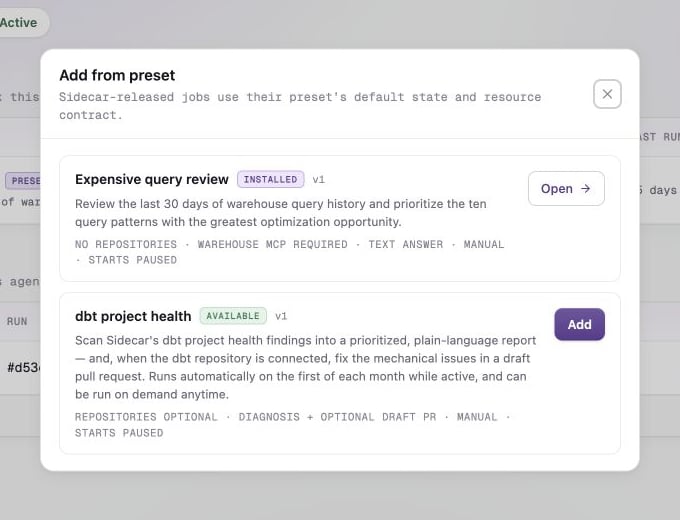
### Expensive query review
This preset reviews the previous 30 days of query history and returns up to ten prioritized query patterns. It requires a warehouse MCP server and does not use repositories.
### dbt project health
This preset converts Sidecar's dbt health findings into a prioritized report. When the matching repository is available, it can prepare bounded mechanical fixes in a draft pull request.
The job configuration shown in Sidecar is authoritative for the dbt project
health trigger. Review it before activating the preset.
Use [Connect dbt context](/products/agent-console/setup/connect-dbt) and [Give agents MCP access](/products/agent-console/setup/give-agents-mcp-access) to prepare the required context.