> ## Documentation Index
> Fetch the complete documentation index at: https://docs.sidecardata.com/llms.txt
> Use this file to discover all available pages before exploring further.
# Reliability
> Use Reliability to diagnose data incidents and make the smallest safe fix
Reliability investigates data-platform failures. It diagnoses the symptom and root cause before proposing or making a change.
## Use Reliability for
* Broken dbt runs and failing tests
* Freshness stalls and volume anomalies
* Bad deployments and pipeline failures
* Incident reports that separate observed evidence from inference
An analysis-only result is valid. Reliability does not change code unless the evidence supports a small, safe fix.
## Resources
Repositories and a warehouse MCP server are optional. Connect them when the investigation needs repository history or live warehouse evidence.
## Preset
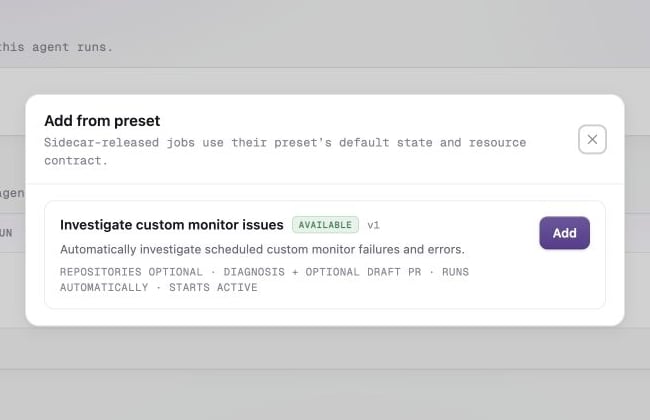
**Investigate custom monitor issues** automatically investigates scheduled custom monitor failures and errors. The preset always preserves the diagnosis and can open a draft pull request when a safe repository fix is relevant.
Preset instructions, delivery, resources, and trigger are owned by Sidecar. You can change its active state, MCP selection, tool permissions, and notifications. See [Create a job from a preset](/products/agent-console/jobs/create-a-job#from-a-preset).