

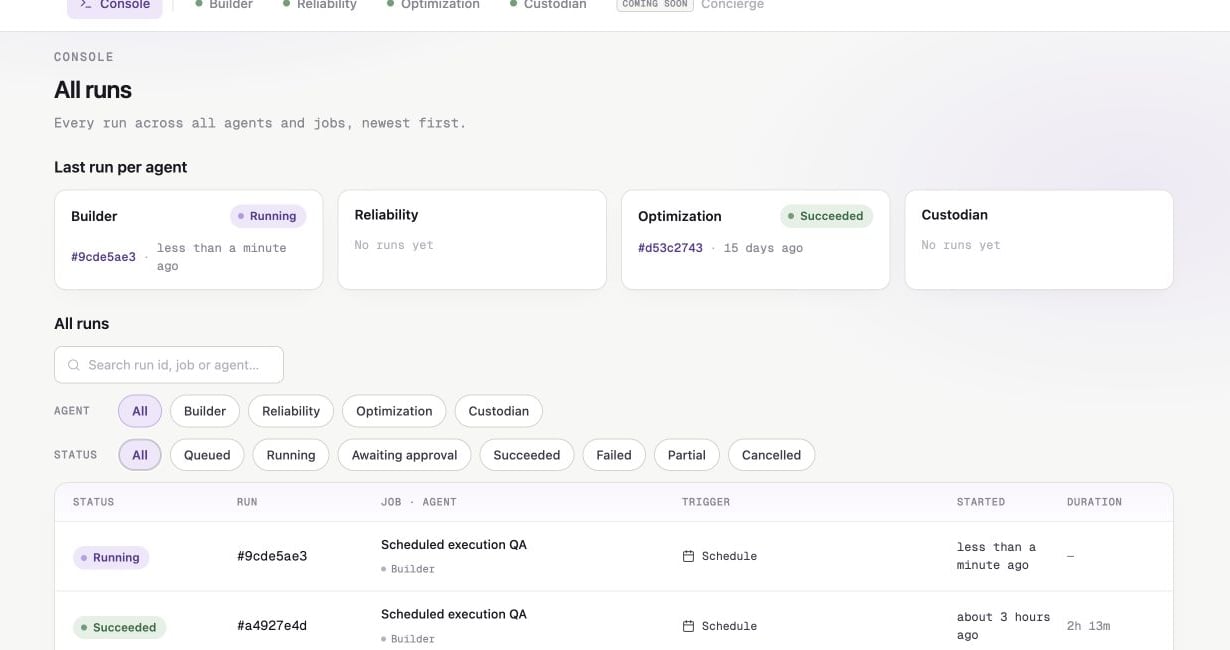
Filter the Console by agent or status, then open any run for details.
Run statuses
Start and cancel runs
An active manual or scheduled job has Run now. Starting it opens the run detail page. Sidecar serializes runs for the same job and target. If the same job is already running, use the existing run instead. Different jobs can run at the same time. Use Cancel run to stop an active run. Cancelling closes its pending approvals.Transcript
Expand a turn to see the agent messages and tool activity for that stage of the run. Older transcripts may become unavailable while run metadata and artifacts remain.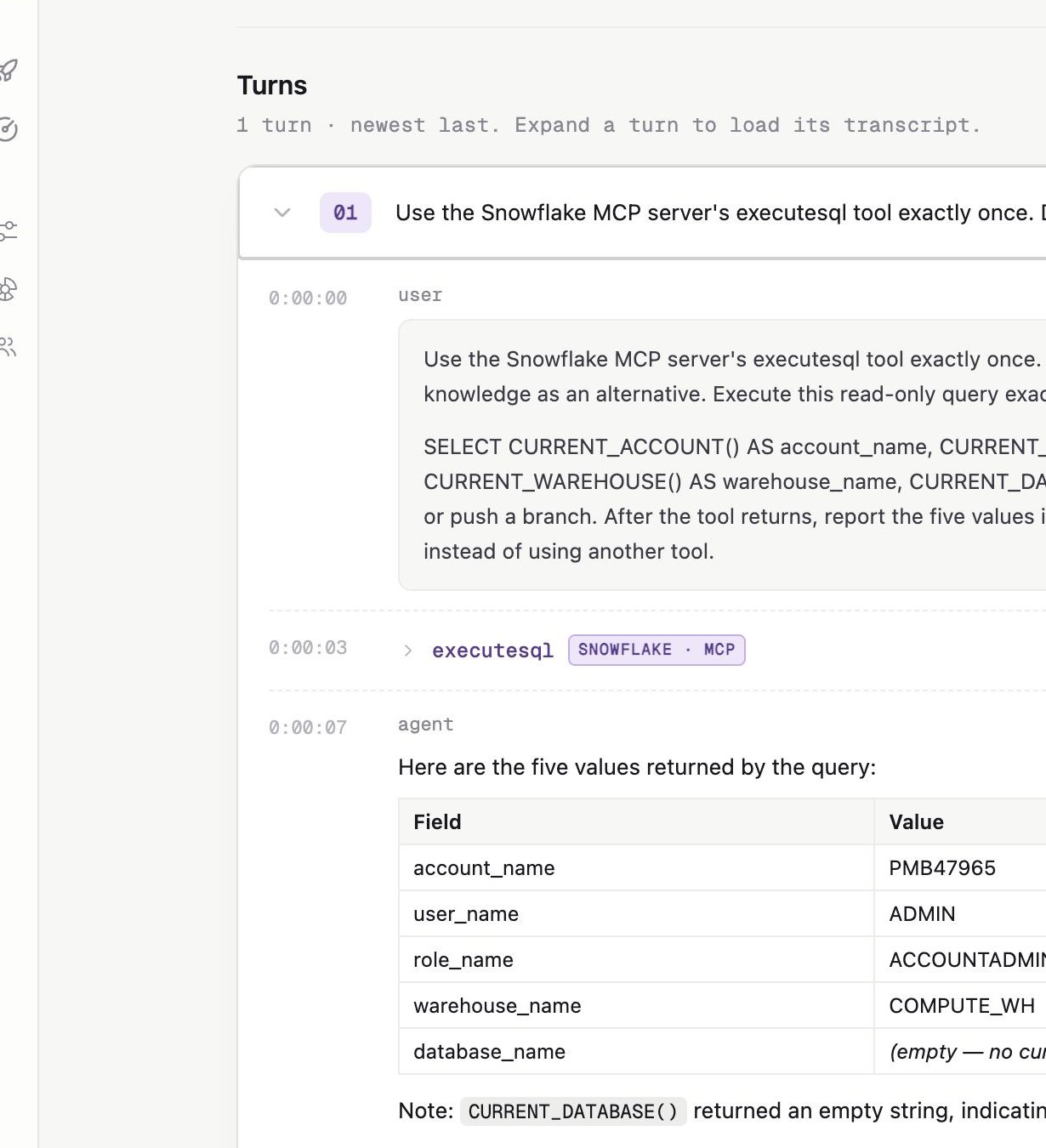
An expanded turn shows agent messages and each tool call in sequence.
Approvals
Tool permissions determine whether gateable web and MCP tools pause. Core repository tools do not pause. When a run reaches Awaiting approval:- Open the approval card.
- Review the tool, MCP server if applicable, and summarized inputs.
- Click Approve, or click Reject with note and explain what the agent should do instead.
Artifacts
A completed run can produce:- A pull or merge request
- A pushed branch or compare link
- A Markdown response in Agent Console
- A source-control review for Custodian
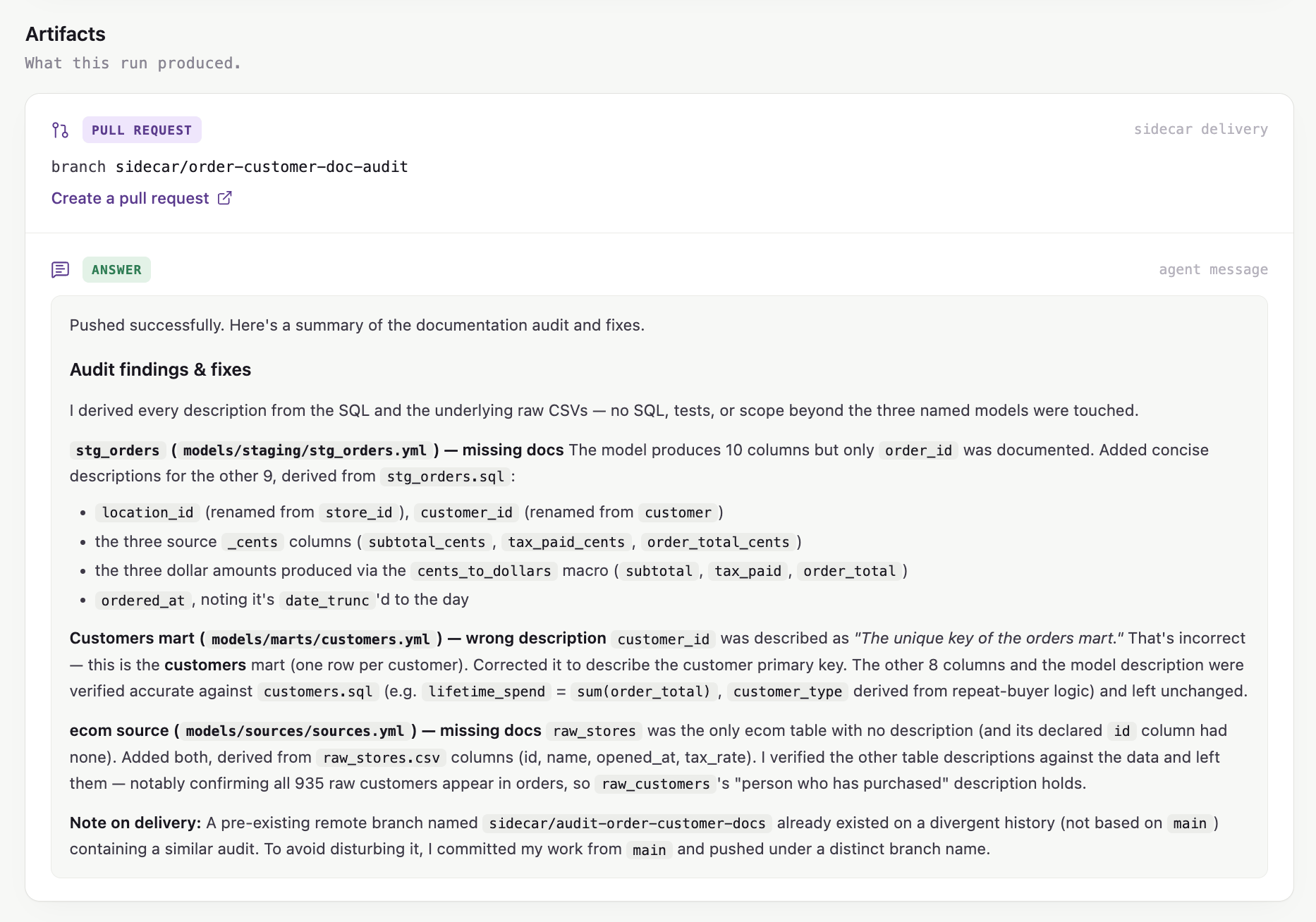
Artifacts keep the delivered source-control change and final response together.