

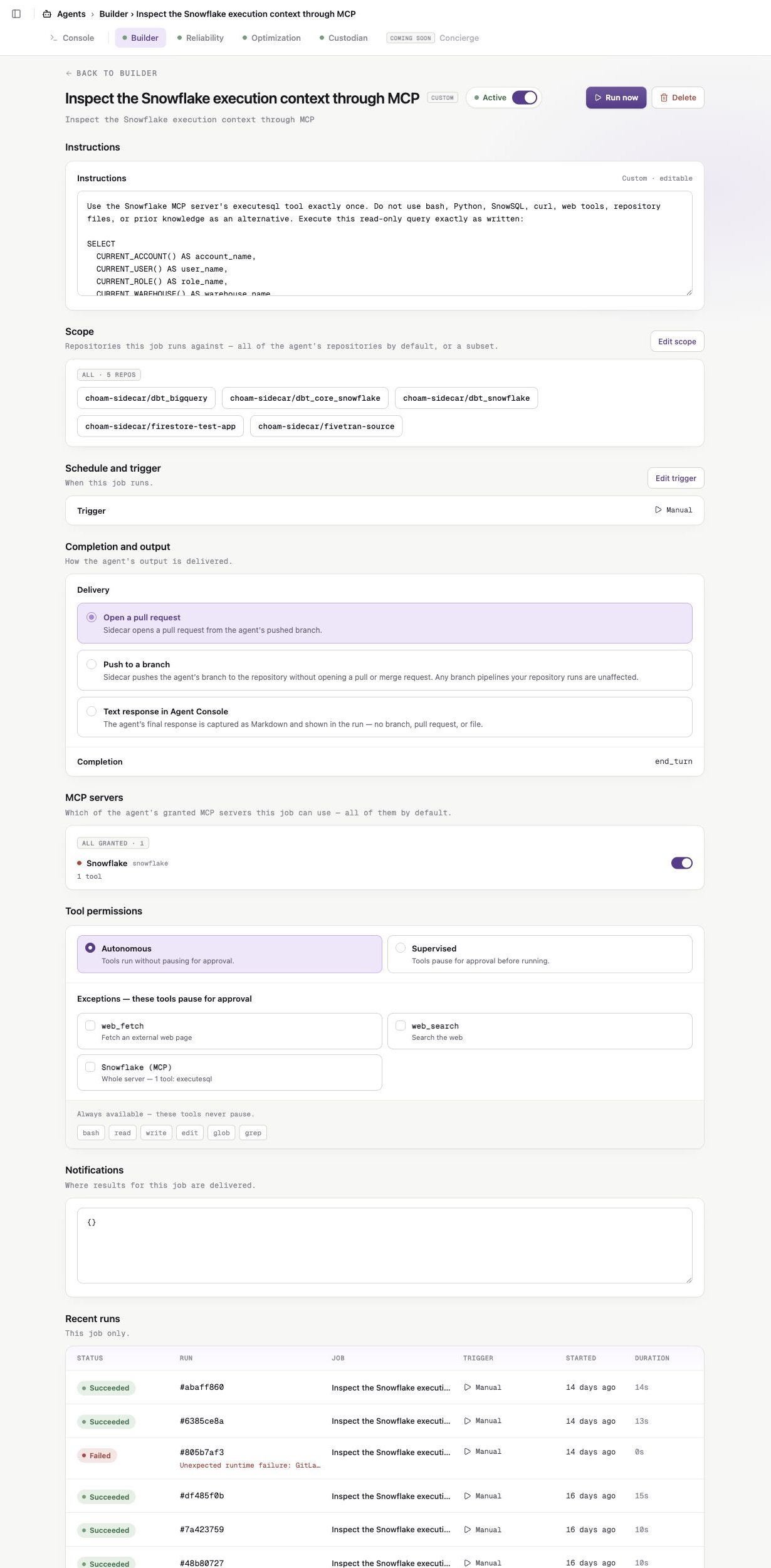
A custom job keeps its instructions, resources, trigger, output, and permissions on one configuration page.
Active state
Use the active toggle in the job header to pause or resume a job. A paused job does not run manually or on its configured trigger. Pausing does not cancel a run already in progress.Instructions
Instructions define the work performed on every run. You can edit instructions for custom jobs. Preset instructions are read-only.Repository scope
Custom jobs can use:- All repositories — Sidecar resolves every currently accessible repository when each run starts.
- A selected subset — the job uses only the saved repositories.
Completion and output
Custom job options include:- Open a pull request
- Push to a branch
- Text response in Agent Console
Schedule and trigger
Custom jobs support Manual and Scheduled triggers. For a scheduled job, choose:- Intervals — every 1, 2, 3, 4, 6, 8, or 12 hours
- Specific hours — selected days and hours in an IANA timezone
- Cron expression — a five-field cron schedule with an explicit timezone
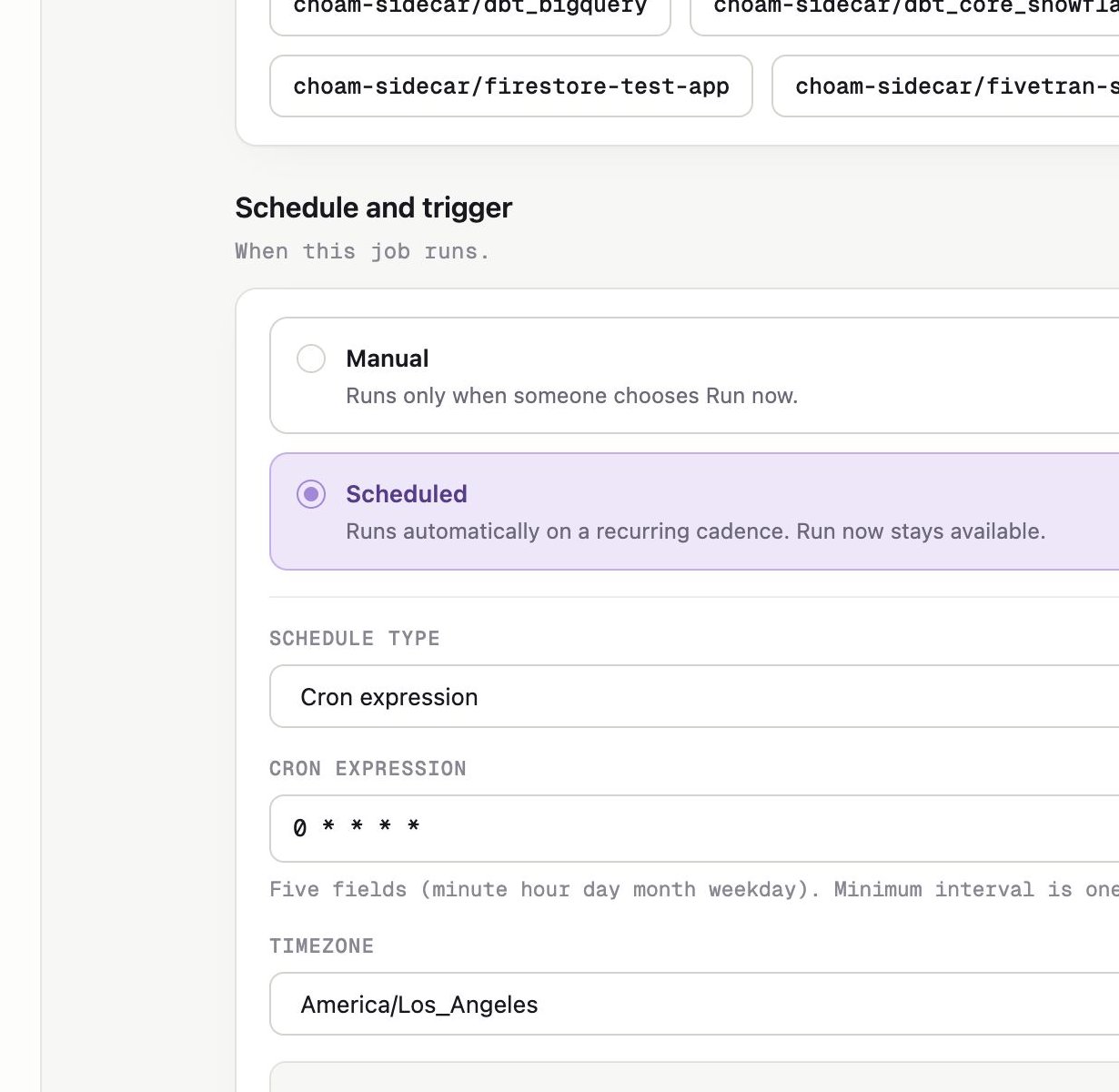
Scheduled jobs use an explicit schedule type, expression, and timezone.
MCP servers
The MCP servers section lists servers granted to the agent. All granted servers are enabled by default. You can narrow the job to an explicit subset or disable them all. Follow Give agents MCP access for the complete registration, grant, and job-selection model.Tool permissions
Choose how gateable tools behave:- Autonomous — gateable tools run without approval unless listed as exceptions.
- Supervised — gateable tools pause for Account Admin approval unless listed as exceptions.
Resource readiness
Sidecar checks the resources required by the job. A missing required repository or warehouse MCP blocks the run. Optional resources do not block it. MCP health is informational. A structurally valid warehouse MCP can satisfy readiness even if its latest health check shows a warning; the run still fails if the server cannot be used.Notifications
Notifications control where job and approval events are delivered. Keep the current configuration unless your Sidecar contact has provided a supported notification route.Preset restrictions
For a preset job, you can change only:- Active state
- MCP server selection
- Tool permissions
- Notifications